 VEX Tutorials
PID Control
What you'll learn
- Understand what PID stands for and why it matters in robotics
- Implement a proportional controller for driving and turning
- Add integral and derivative terms for precision
- Tune PID constants for your specific robot
- Build reusable pid_drive() and pid_turn() functions
Why Timing Is Not Enough
You have probably seen this before: you program your robot to drive forward for 1 second, and it works perfectly in practice. Then at the competition, you run it on the same field and the robot ends up 6 inches short. What happened?
The field tiles had a slightly different texture. The battery was at 85% instead of 100%. One of the drive motors had a tiny bit more friction than yesterday.
Timing-based autonomous code fails in competition because it makes one dangerous assumption: your robot will always move at the same speed. It never does.
Sensor-based control is the answer. Instead of saying “run for X seconds,” you say “run until you have traveled X inches” — and you check an encoder to know when you are there. But that introduces a new problem: how fast should you move as you approach the target?
If you just stop when you hit the target, you overshoot. If you slow down too early, you waste time. PID control solves this elegantly.
What PID Stands For
PID stands for Proportional, Integral, Derivative. These are three mathematical terms that together calculate the right motor power at any moment. Each term looks at the error — the difference between where you are and where you want to be.
error = target - current_valueIf your target heading is 90° and your current heading is 75°, your error is 15°.
Visual Explanation
If the math feels abstract, this 9-minute video by MATLAB makes it click. It is one of the clearest visual introductions to PID you will find anywhere:
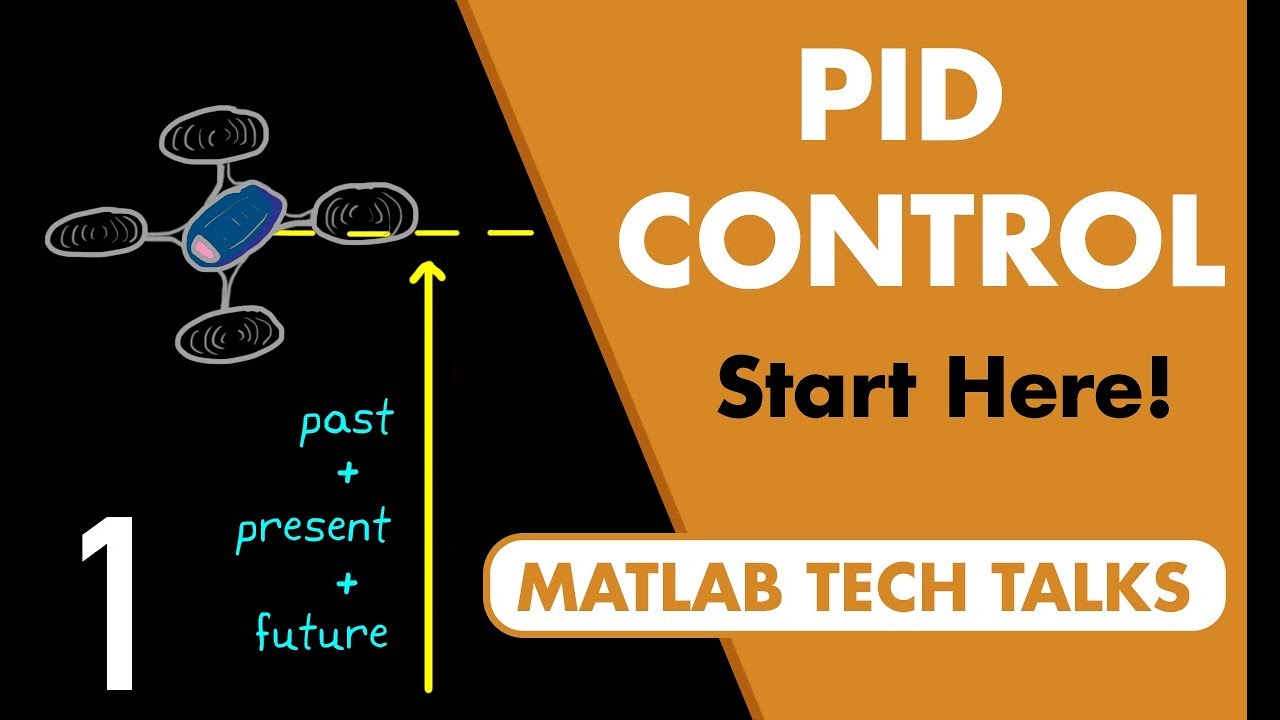
What Is PID Control? — MATLAB / Brian Douglas
For hands-on learning, try adjusting P, I, and D values yourself in this interactive PID simulator — you can see exactly how each term affects the system response in real time.
The three terms each respond to error differently:
- P (Proportional): Apply power proportional to the current error. Large error = large power. Small error = small power. Simple and effective for most situations.
- I (Integral): Apply power proportional to the accumulated error over time. Fixes the problem where P alone never quite reaches the target.
- D (Derivative): Apply power opposing the rate of change of error. Acts like a brake — prevents overshoot and oscillation.
Start With Just P
Do not implement all three terms at once. Start with just proportional control, get it working, then add I and D if needed.
Here is a complete proportional drive example:
Try this on your robot. You will immediately notice the behavior: the robot glides smoothly to a stop, decelerating naturally as it approaches the target. This is the magic of proportional control.
Tuning kp
The kp value controls how aggressively the robot responds to error:
- Too low (e.g., 0.1): Robot moves slowly, may not reach target, takes forever
- Too high (e.g., 5.0): Robot overshoots, oscillates back and forth
- Just right: Smooth deceleration, stops at target without overshooting
Starting procedure:
- Set
kp = 0.5 - Run and watch the behavior
- If it oscillates: lower kp
- If it barely moves or undershoots: raise kp
- Typical working range: 0.3 to 1.5 for distance, 0.8 to 2.5 for turning
The Problem With P Alone: Steady-State Error
Proportional control has a subtle flaw called steady-state error. Here is why it happens:
As the robot approaches the target, the error shrinks. When error is very small, the proportional output is also very small. At some point, the motor output is so low that it cannot overcome static friction in the motors and gears. The robot stops close to the target but not at the target.
You might notice your robot consistently stopping 0.5 inches short of 24 inches. That is steady-state error.
Adding I: The Integral Term
The integral term accumulates error over time. Every loop iteration, you add the current error to a running total. If the robot is stuck near the target, error keeps accumulating, and eventually the integral term adds enough extra push to overcome friction.
def pi_drive(target_inches, kp=0.8, ki=0.002):
    """
    Drive with PROPORTIONAL + INTEGRAL (PI) control.

    Problem P alone has: "steady-state error"
    Near the target, error is tiny -> P output is tiny -> too weak
    to overcome friction -> robot stops slightly short. Every time.

    The fix - Integral term:
    Each loop, we ADD the current error to a running total (integral).
    The longer the robot sits close-but-not-quite-there, the bigger
    the integral grows, providing an ever-increasing extra push until
    friction is overcome and the robot finally hits the target exactly.

    Analogy: Imagine pushing a heavy box. P is your initial shove.
    I is the extra effort you keep adding when the box barely moves.
    """
    left_motor.reset_position()
    right_motor.reset_position()

    wheel_circumference = 7.874
    target_degrees = (target_inches / wheel_circumference) * 360

    # ── INTEGRAL STATE ────────────────────────────────────────────────
    # This variable ACCUMULATES error across every loop iteration
    integral = 0
    # Hard cap to prevent "integral windup" (explained below!)
    max_integral = 50

    while True:
        left_pos  = left_motor.position(DEGREES)
        right_pos = right_motor.position(DEGREES)
        current   = (left_pos + right_pos) / 2
        error     = target_degrees - current

        # Tighter threshold than P-only (3 degrees vs 5) because
        # the I term gives us the extra push to get really close
        if abs(error) < 3:
            break

        # ── THE I TERM ────────────────────────────────────────────────
        # Add this loop's error to the running total
        # Think: "total un-corrected error accumulated so far"
        integral += error

        # ⚠ INTEGRAL WINDUP PROTECTION (this is critical!)
        # Without a cap: if the robot is blocked for 5 seconds,
        # integral grows to thousands. When it finally moves, the
        # huge I term rockets the robot way past the target.
        # Clamping to +-50 keeps the integral's influence safe.
        integral = max(-max_integral, min(max_integral, integral))

        # ── COMBINED P + I OUTPUT ─────────────────────────────────────
        # P term: fast response to current position error
        # I term: slow correction for accumulated past error
        # Together: precise AND fast
        power = (kp * error) + (ki * integral)
        power = max(-100, min(100, power))

        left_motor.spin(FORWARD, power, PERCENT)
        right_motor.spin(FORWARD, power, PERCENT)
        wait(20, MSEC)

    left_motor.stop(BRAKE)
    right_motor.stop(BRAKE)
Integral Windup Warning
Notice the max_integral = 50 cap. Without it, if the robot is blocked or starts far from the target, the integral accumulates to a huge number. When the robot finally moves, it blasts past the target. This is called integral windup and it makes the robot behave erratically.
Always cap your integral. A good starting cap is 30-100 depending on your kp and ki values.
Adding D: The Derivative Term
The derivative term looks at how fast the error is changing. If error is shrinking quickly, the robot is approaching fast and needs to brake. The D term applies a counterforce proportional to the rate of change.
def pid_drive(target_inches, kp=0.8, ki=0.002, kd=0.1):
    """
    Full PID (Proportional + Integral + Derivative) drive controller.

    Problem PI can still have: overshoot on fast approaches.
    PI doesn't "know" how fast the robot is moving. If the robot
    is flying toward the target at high speed, PI only sees the
    current error shrinking - it doesn't apply any braking force.
    Result: the robot shoots past the target.

    The fix - Derivative term:
    D measures HOW FAST the error is changing each loop.
    If error is dropping quickly (robot approaching fast),
    D applies a counterforce - like a brake pedal.
    Result: smooth, damped approach with no overshoot.

    Car analogy:
      P = press gas harder when farther from your exit
      I = add a little extra gas when you've been barely creeping
      D = ease off the gas when you see the exit coming up fast
    """
    left_motor.reset_position()
    right_motor.reset_position()

    wheel_circumference = 7.874
    target_degrees = (target_inches / wheel_circumference) * 360

    integral  = 0
    prev_error = 0   # We need last loop's error to calculate rate of change
    max_integral = 50

    while True:
        left_pos  = left_motor.position(DEGREES)
        right_pos = right_motor.position(DEGREES)
        current   = (left_pos + right_pos) / 2
        error     = target_degrees - current

        if abs(error) < 3:
            break

        # ── I TERM: Accumulated past error (fixes steady-state) ───────
        integral += error
        integral  = max(-max_integral, min(max_integral, integral))

        # ── D TERM: Rate of change of error (prevents overshoot) ──────
        # derivative = how much error changed since last loop
        # Negative derivative = error is shrinking = robot is approaching
        # The larger the negative value, the faster the approach
        # kd * derivative will subtract from power -> automatic braking!
        derivative = error - prev_error
        prev_error = error  # Save for next loop's calculation

        # ── FULL PID OUTPUT ───────────────────────────────────────────
        # Each term plays a role:
        #   kp * error       -> fix current position error (fast)
        #   ki * integral    -> eliminate steady-state error (slow, persistent)
        #   kd * derivative  -> dampen rapid changes (smooth approach)
        power = (kp * error) + (ki * integral) + (kd * derivative)
        power = max(-100, min(100, power))

        left_motor.spin(FORWARD, power, PERCENT)
        right_motor.spin(FORWARD, power, PERCENT)
        wait(20, MSEC)

    left_motor.stop(BRAKE)
    right_motor.stop(BRAKE)
Building a Reusable PID Class
Instead of rewriting the PID math for every function, build a class:
from vex import *

brain = Brain()
left_motor = Motor(Ports.PORT1, False)
right_motor = Motor(Ports.PORT6, True)
inertial = Inertial(Ports.PORT3)

class PIDController:
    def __init__(self, kp, ki, kd, max_integral=50):
        self.kp = kp
        self.ki = ki
        self.kd = kd
        self.max_integral = max_integral
        self.integral = 0
        self.prev_error = 0

    def calculate(self, error):
        self.integral += error
        self.integral = max(-self.max_integral, min(self.max_integral, self.integral))
        derivative = error - self.prev_error
        self.prev_error = error
        return self.kp * error + self.ki * self.integral + self.kd * derivative

    def reset(self):
        self.integral = 0
        self.prev_error = 0


# Create PID controllers for driving and turning
drive_pid = PIDController(kp=0.8, ki=0.002, kd=0.1)
turn_pid = PIDController(kp=1.5, ki=0.003, kd=0.2)


def pid_drive(target_inches):
    """Drive forward target_inches using PID."""
    drive_pid.reset()
    left_motor.reset_position()
    right_motor.reset_position()

    wheel_circumference = 7.874
    target_degrees = (target_inches / wheel_circumference) * 360

    while True:
        current = (left_motor.position(DEGREES) + right_motor.position(DEGREES)) / 2
        error = target_degrees - current

        if abs(error) < 3:
            break

        power = drive_pid.calculate(error)
        power = max(-100, min(100, power))

        left_motor.spin(FORWARD, power, PERCENT)
        right_motor.spin(FORWARD, power, PERCENT)
        wait(20, MSEC)

    left_motor.stop(BRAKE)
    right_motor.stop(BRAKE)


def pid_turn(target_heading):
    """Turn to an absolute heading (0-360) using PID."""
    turn_pid.reset()

    while True:
        current_heading = inertial.heading()

        # Calculate shortest path to target (handle 0/360 wrap)
        error = target_heading - current_heading
        if error > 180:
            error -= 360
        elif error < -180:
            error += 360

        if abs(error) < 1.5:
            break

        power = turn_pid.calculate(error)
        power = max(-100, min(100, power))

        # Turn: left motor forward, right motor backward (or vice versa)
        left_motor.spin(FORWARD, power, PERCENT)
        right_motor.spin(REVERSE, power, PERCENT)
        wait(20, MSEC)

    left_motor.stop(BRAKE)
    right_motor.stop(BRAKE)


# --- Autonomous Routine ---
inertial.calibrate()
wait(2, SECONDS)

pid_drive(24)     # Drive 24 inches
pid_turn(90)      # Turn to face 90 degrees
pid_drive(12)     # Drive 12 more inches
pid_turn(0)       # Turn back to 0 degrees
Tuning Guide
Tuning PID is part science, part art. Follow this order:
Step 1: Tune kp first
Set ki=0, kd=0. Increase kp until the robot overshoots slightly when approaching the target.
Step 2: Add kd to reduce overshoot
Increase kd gradually until the overshoot goes away. The robot should arrive smoothly.
Step 3: Add ki only if needed
If the robot consistently stops slightly short of the target, add a small ki (start at 0.001). Increase slowly.
Typical Starting Values
| Application | kp | ki | kd |
|---|---|---|---|
| Drive distance | 0.6-1.0 | 0.001-0.005 | 0.05-0.2 |
| Turn to heading | 1.0-2.0 | 0.002-0.008 | 0.1-0.4 |
Common Mistakes
Mistake 1: Forgetting to calibrate the inertial sensor
The inertial sensor takes 2 seconds to calibrate. Always call inertial.calibrate() then wait(2, SECONDS) at the start of your program — before any movement.
Mistake 2: Not resetting encoders
If you run pid_drive(24) twice without resetting, the second call starts from where the first ended. Always reset motor positions before each move.
Mistake 3: Loop running too fast
The wait(20, MSEC) in the loop is important. Without it, the loop runs thousands of times per second, derivative values become huge, and control becomes unstable.
Mistake 4: Setting kp too high immediately Start low and increase slowly. An unstable robot is hard to debug.
Next Steps
With PID working, you are ready for:
- Gyro Turns — using PID specifically for precise heading control
- Odometry Basics — tracking your robot’s position on the field